
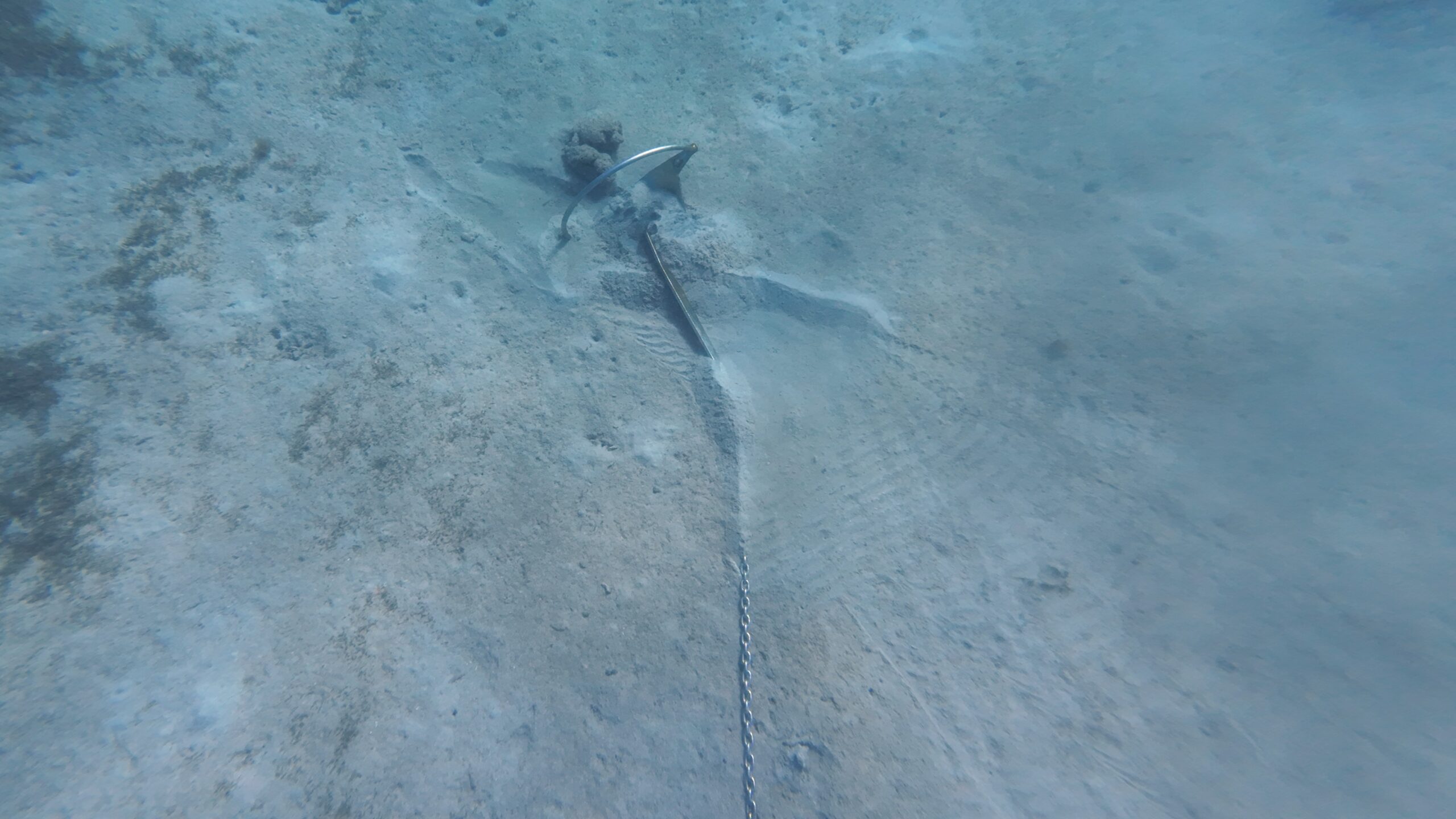
Get the set right, get the alarm right, and sleep through the night you were dreading.
You set the alarm before bed, you trust it, and at ten past three it goes off. You are up on deck in whatever you slept in, torch in hand, ready to start the engine. And the boat has not moved a metre.
Everyone has had that night, and the trouble is what comes next. After the second false alarm you make the circle bigger, after the third bigger again, until nothing will ever set it off. Or you stop turning it on. Either way, the alarm you put there for the one night that matters is now switched off.
False alarms are not bad luck. Four things cause almost all of them, they are all easy to fix, and none depend on which app you use.
-

- Boats packed into a Greek cove with lines ashore. Everyone here has set an alarm of some kind.
First, the bit no app can fix
An anchor alarm is a smoke detector. It tells you something is wrong, but it cannot set your anchor, and most bad nights are decided long before the phone comes into it.
- Use more chain than you think. In calm weather, five or six times the depth from the bow roller, seven or more if wind is coming. Remember the tide: a metre and a half of rise quietly undoes your scope.
- Set it properly, every time. Engine astern, build to about 1500 rpm over half a minute and hold it there. Watch something on shore, not just the plotter. If you creep backwards, pick it up and do it again.
- Use a snubber. Five to eight metres of nylon, 10 to 14 mm. It takes the load off the windlass, soaks up the gusts that pull anchors out, and stops the chain groaning.
- Watch for twenty minutes before you go below. A tight cluster on the track means it has dug in. A slow steady drift means sort it out now, not at eleven o’clock.
-
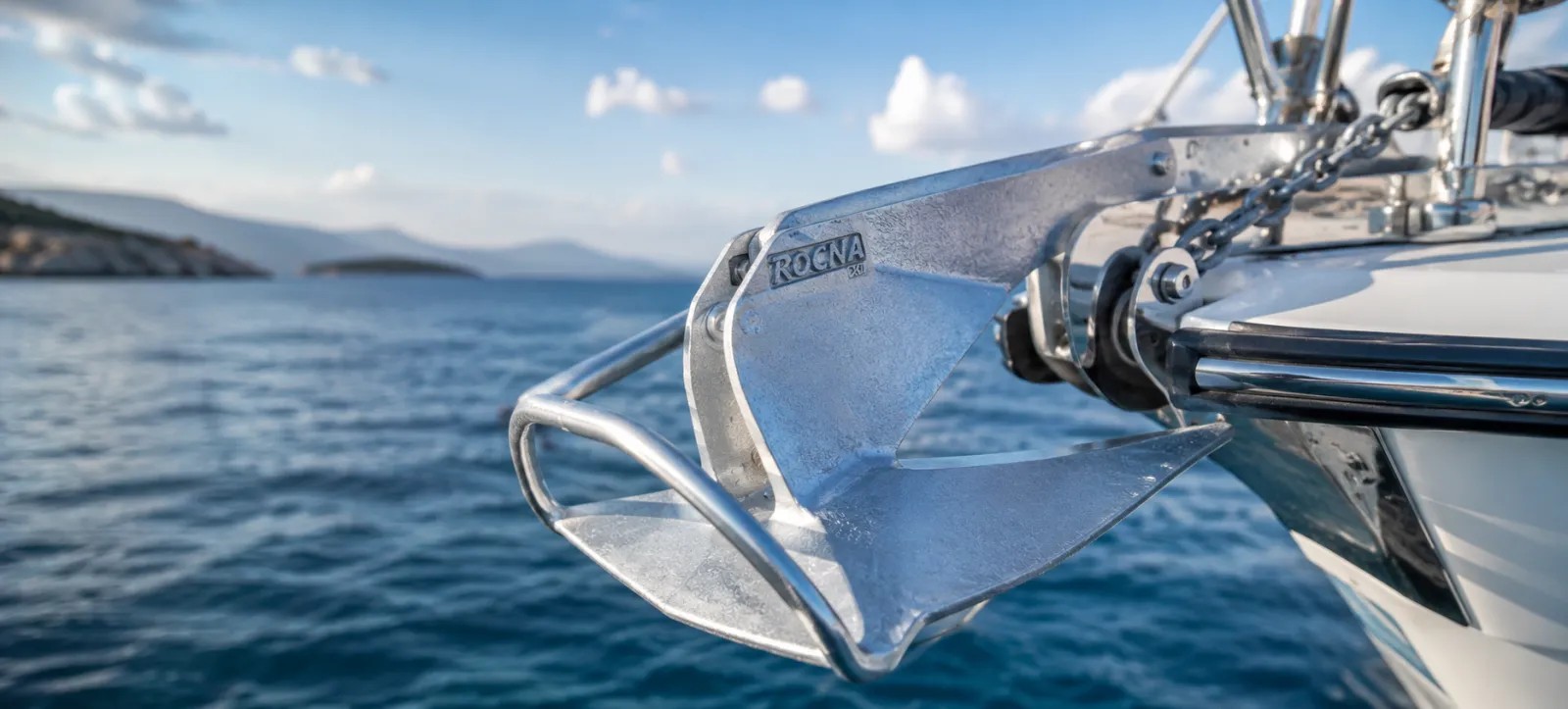
- Closes the section on the set: the anchor, not the app.
1. Your phone is not your anchor
Now the alarm itself. It is not watching your anchor, it is watching your phone, which is in the cockpit or plugged in at the chart table. In between is the whole length of the boat plus all the chain.
When the boat swings, the anchor stays put and the phone goes round on a much bigger circle. Twelve metres of boat in five metres of water is about 25 m of chain, but the phone at the chart table is swinging on closer to 35 m. Set the alarm at 30 m because that sounds about right, and the first wind shift takes you straight out of it with the anchor still buried.
Two things fix it. Drop the marker where the anchor went down, not where you are floating when you remember to turn the alarm on, and make the circle big enough for the whole swing: chain, plus boat, plus a bit.
2. Sometimes it is the GPS that moves, not the boat
You know this one when you see it. Calm night, no wind, and in the morning the track looks like somebody scribbled on the chart.
Down below, the hull and rigging block most of the signal. In the cockpit the phone might see ten or twelve satellites; on a bunk below, three or four. Much of what it does pick up has bounced off the mast and the water first, and it works out a position from that anyway.
It is the same thing that puts you on the wrong street between tall buildings: two metres in the open, thirty in a city. A hull and a hard bimini are a small version of that, and a phone lying perfectly still below decks can wander fifteen to fifty metres. That is your false alarm.
| Where the fix comes from | Typical accuracy | Worth knowing |
| The phone, below decks | 15 to 50 m of wander | This is the one setting the alarm off. |
| Garmin GLO 2 (Bluetooth) | 2 to 5 m in open sky | About EUR 110. Sits on the nav table. |
| Bad Elf GPS Pro+ | 2 to 4 m in open sky | Logs your track as well. |
| The boat’s own aerial, over NMEA | 2 to 4 m | Free, if you already have it. |
Ours is a Garmin GLO 2, a little dongle in the window above the nav table, plugged in all the time. We have not thought about it since. Three metres of wobble instead of forty is the difference between a 30 m circle being useless and being right.
-
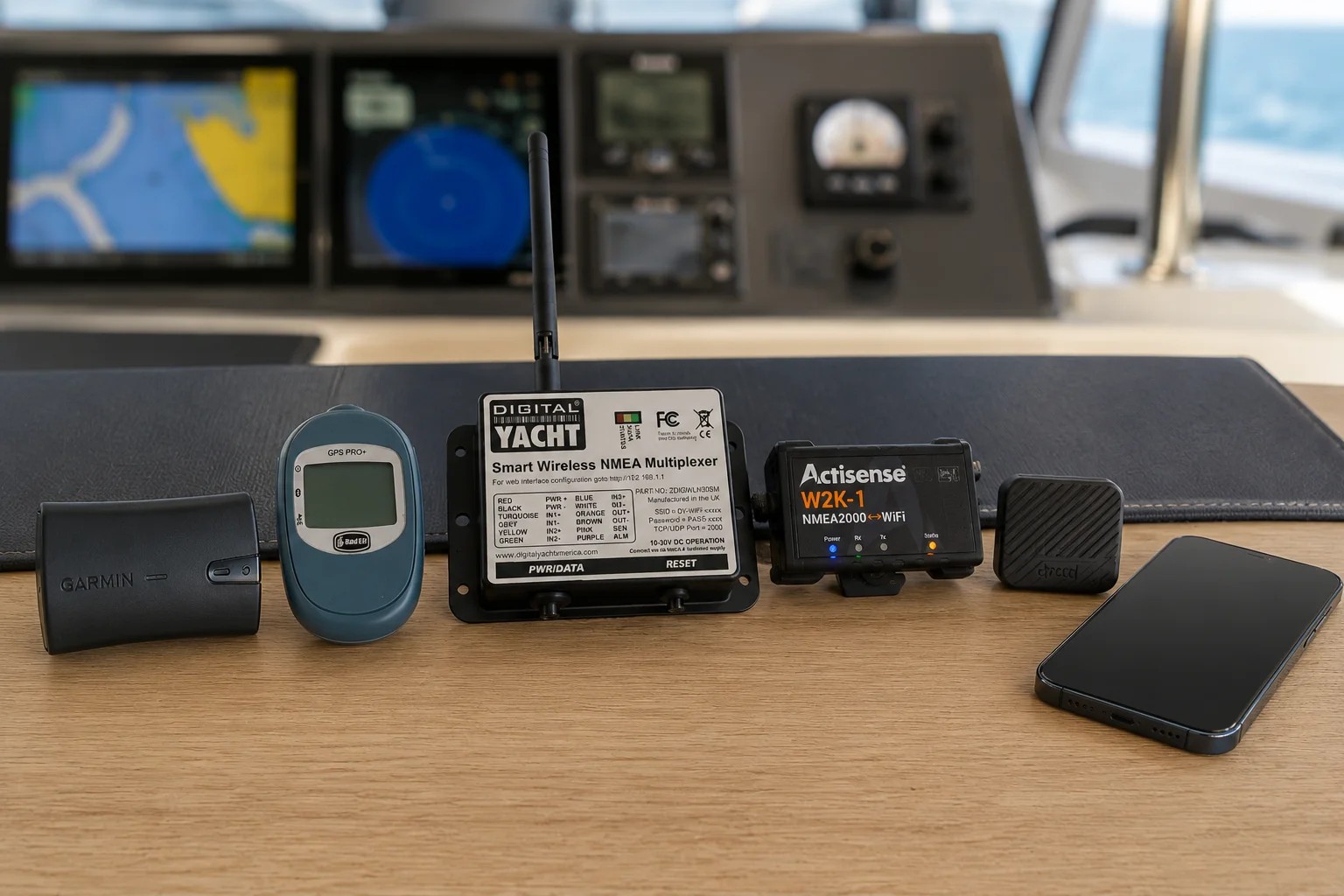
- Sits with the receiver table.
3. Look at the shape, not the number
The third one is the boat really moving, but not dragging. If the wind goes round overnight she sails across to the other side of the anchor, which can move you twice the radius of the swing. On the numbers above, seventy metres, with the anchor exactly where you left it.
You tell them apart by the shape of the track, and any app that keeps a few hours of it gives you that for nothing.
- A swing is a curve. It stays roughly the same distance from the anchor, and it comes back again.
- Dragging is a straight line. It heads off downwind, it keeps getting further away, and it does not come back.
Half a minute on the shape answers what the alarm cannot. Worth a look in the morning too: it tells you whether the night was comfortable or just lucky.
-
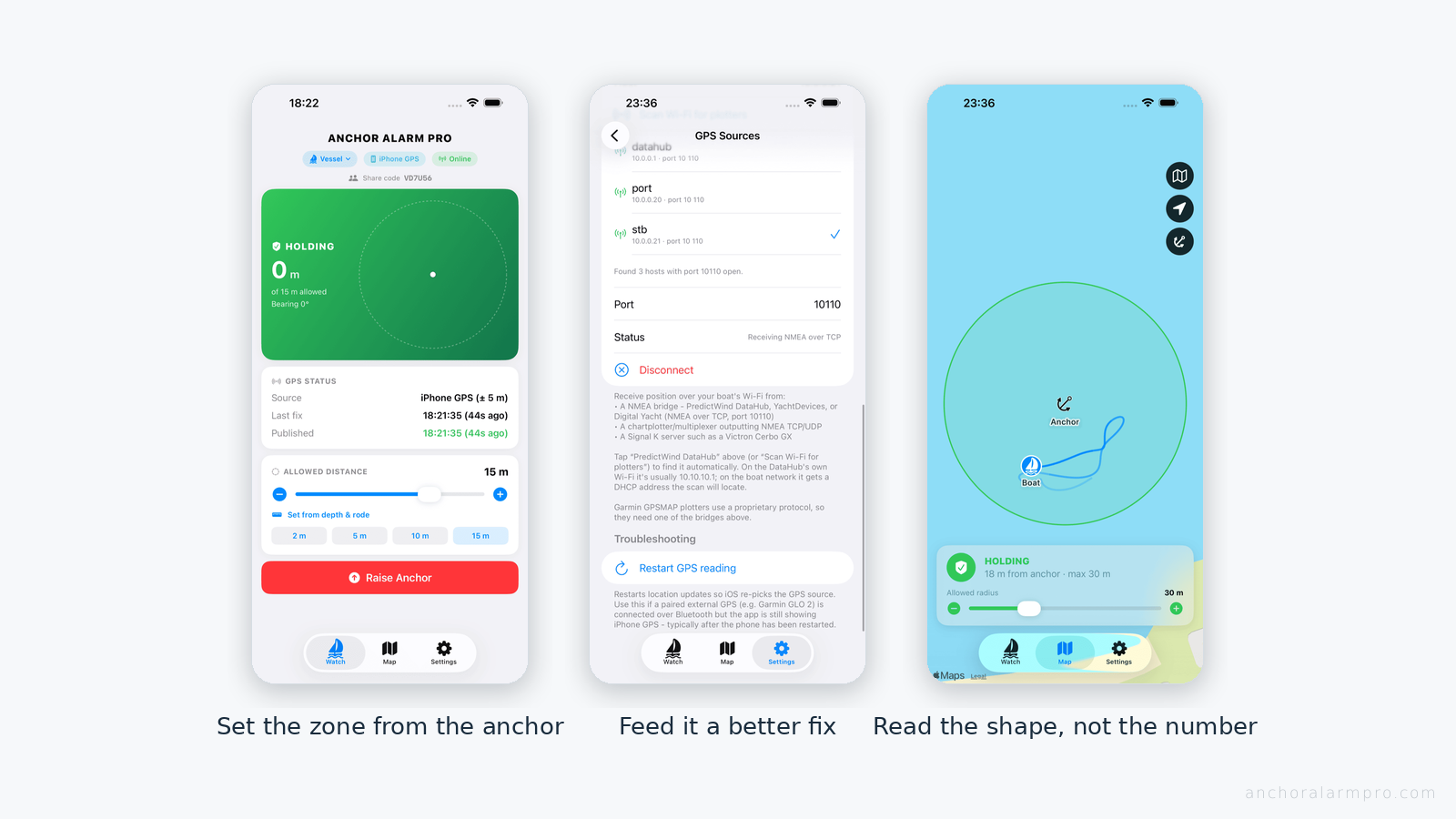
- Three screens across the width: the circle, the fix, the shape.
4. When the alarm never goes off at all
The last one is the opposite problem, and nobody sees it coming.
Phones shut down background apps to save battery, and some Android phones are much keener than others. The list at dontkillmyapp.com has had Huawei, Xiaomi, OnePlus and Samsung near the top for years. On one of those an alarm left running overnight can simply stop at one in the morning, and nothing on screen tells you. The signs are an alarm that comes late, or an hour missing from the track.
- Tell your phone to leave the app alone. It is in the battery settings, usually under battery optimisation. On the phones above there is a second setting, often called protected apps or auto launch, and that is the one that matters.
- Keep it charged, or move the GPS off it. The phone’s own GPS will flatten it in four to six hours. With a separate receiver the phone is only listening over Bluetooth, which is much gentler, so keep the receiver plugged in and the phone will usually last the night.
- Make sure the alarm gets through your night mode. On an iPhone that normally means allowing critical alerts. Without them, a silent phone stays silent.
- Send yourself a test. From the phone you will actually be sleeping next to, not the one in your hand.
What to look for in an anchor alarm
- It has to survive the night. Still running with the screen off, and loud enough to wake you through a closed door.
- A circle you can move and shape. Centred where you actually dropped, with a sector or corridor option for a tight spot.
- A track you can look at. A few hours of it. This is the one that kills most false alarms.
- Somewhere else to watch from. A second phone or a laptop, for the evening one of you is ashore.
- No subscription. Something you pay for every month is something you have to remember to cancel at the end of the season. Ours, Anchor Alarm Pro, is free, with no account and nothing to buy. Some of the others are up to EUR 99 a year.
None of that is hard, and most of it you only do once. Next time the alarm goes at three you will still come up not knowing, which is exactly as it should be. But you will look at the shape of the track before the number, and an alarm you believe is the only kind worth setting.







A metre and a half of tide, if only!
I am no fan of ‘anchor alarms’.
I never use one. we use a decent new generation anchors and power set the anchor with the full torque of the engine. we have thousands of nights at anchor
This is a great breakdown, especially on phone GPS issues below deck and phone apps getting killed at 2 AM.
I run Helmcentral (an open-source, self-hosted vessel dashboard) and use its Anchor Watch feature, which tackles a lot of these issues directly::
– It pulls live GPS position and current depth from the NMEA 2000 network and combines them with local tide data, so you know what your depth will be at high tide.
– A built-in rode planner recommends how much chain to deploy based on expected wind strength, sea state, and seabed type.
– Once you have deployed, it calculates a recommended swing radius accounting for your boat’s dimensions and GPS antenna offset.
– Everything is displayed on a satellite map with swing trails for both your vessel and nearby AIS targets (and it can alarm if an AIS vessel enters your swing circle).
– You can drop pins on the map for live tracking bearing and distance to nearby hazards, like the closest shoreline.
– Since the monitoring runs on the boat’s server, any device on the network can view it, and if you use Tailscale, you can access it while you are on the beach sipping cocktails.
Completely agree with your closing point too: an anchor alarm is only useful if you trust it enough not to keep widening the circle until it’s meaningless. Getting clean GPS data, real swing tracks, and clear context on what’s around you makes all the difference.