
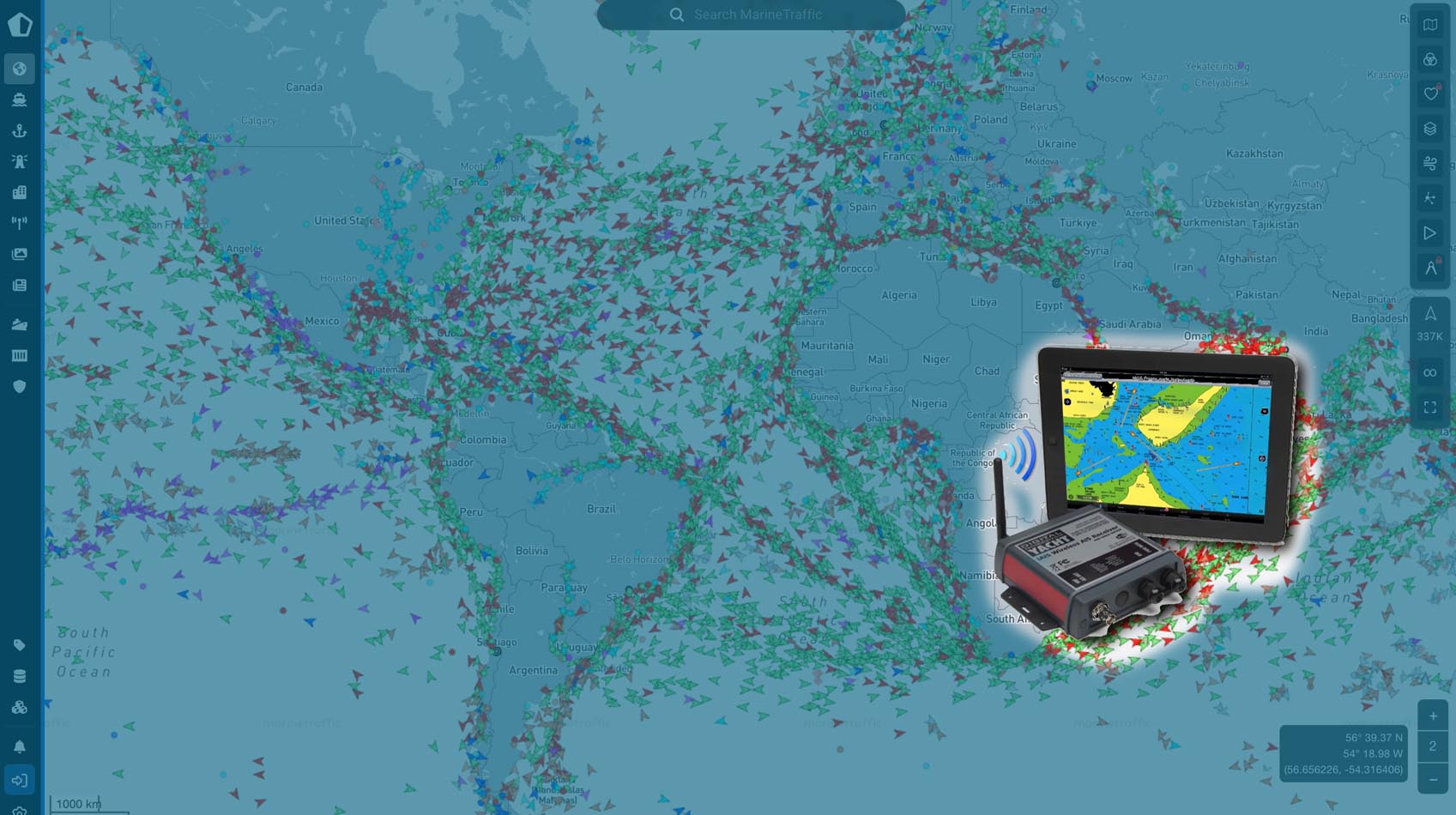
You’ve installed the latest transponder, the icons are moving on your screen, and you feel safe. But, there is a silent epidemic in the cruising community: The Stealth Yacht.
Many of us are transmitting an AIS signal so degraded by hardware choices that we’ve essentially become invisible to the big ships we’re trying to avoid.
If you want to ensure you aren’t just “whispering into the wind,” here is how to audit your AIS health from the nav station to the masthead.
Power Paradox: Watts vs. Reality
Most Class B units are rated at either 2W or 5W. On paper, that suggests a visibility range of up to 20 miles. In reality, your AIS signal is like water in a leaky hose. By the time it travels from the transponder, through the splitter, up the mast, and out the antenna, that 5W “blast” can be reduced to a fraction of a watt.
If a ship only sees you at 3 miles, they don’t have enough time to adjust their course. You aren’t just looking for any signal; you’re looking for efficient signal.
Benchmarking Test: Who else is there?
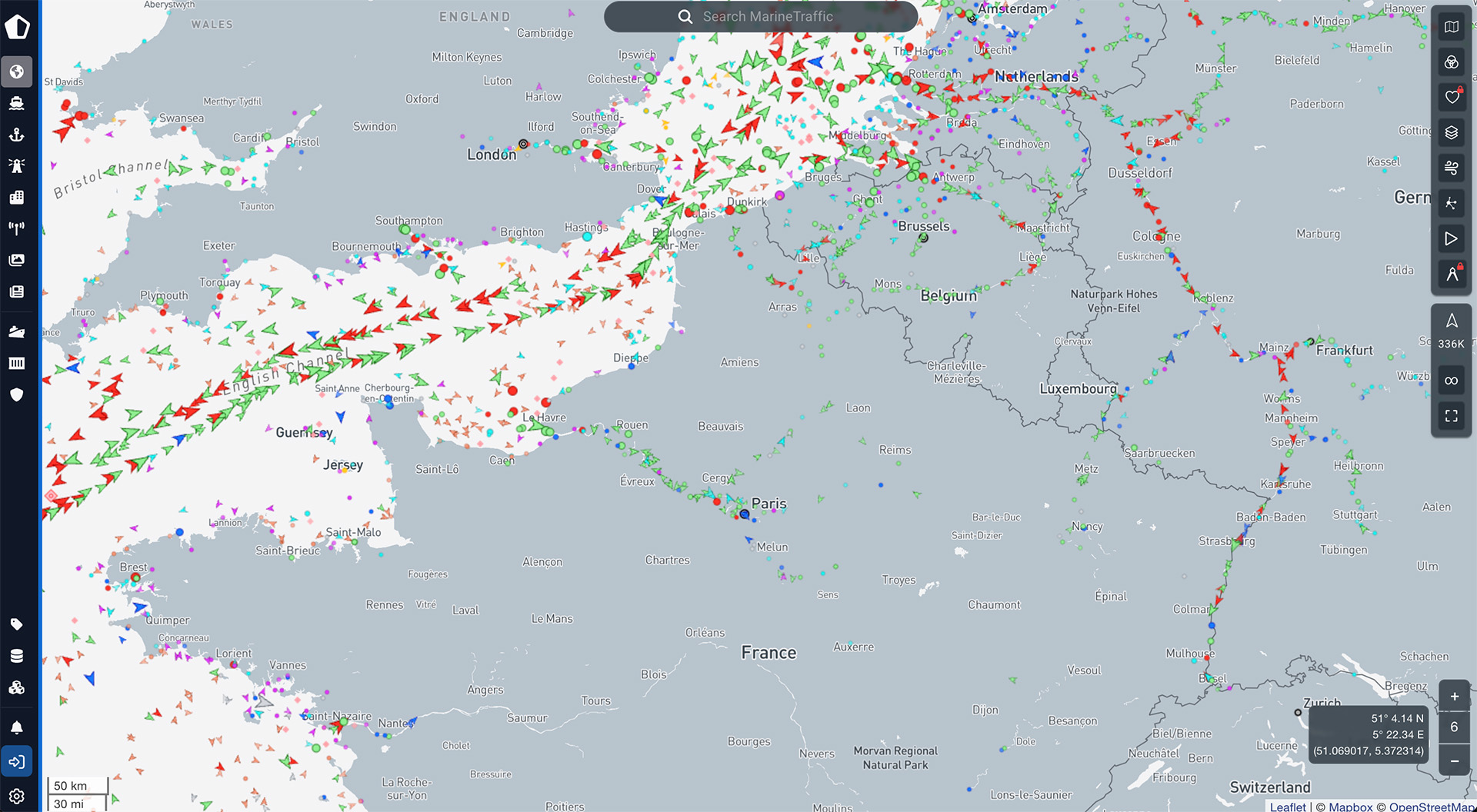
Don’t trust your own screen to tell you if you’re being seen. Use a shore-based aggregator like MarineTraffic or VesselFinder for a real-world audit:
- The Peer Review: Find a yacht similar in size to yours within a 5-mile radius. If their track is a solid line and yours is a stuttered series of “lost” positions, your transmission hardware is failing you.
- The Blackout Zone: If all boats disappear at once, it’s a lack of shore-side receivers. If only you disappear while offshore, your signal is likely “suffocating” before it leaves the boat.
The “Clog” in the system: Cable & corrosion
The most common culprit for a weak signal is the coaxial cable. Many production boats come standard with RG-58—a thin cable that is notorious for signal “leakage” over long runs.
Performance Ratings for Mast-Run Cables
| Cable Grade | Signal Loss (per 100ft) | Recommendation |
|---|---|---|
| Aircell 7 | Very Low | The Best Choice. Flexible and high-performance. |
| LMR-400 | Lowest | Elite. Harder to install due to stiffness, but unparalleled. |
| RG-213 | Low | Solid. Bulky and heavy, but very reliable. |
| RG-58 | High | Avoid. At 50 feet, you lose nearly half your transmit power. |
Pro Tip: Look for Tinned Copper or Marine Grade labels. Standard copper wire reacts with salt air to create “Black Wire Disease,” an oxidation that increases resistance and kills your signal within months.
The Splitter: Choosing your “Traffic Cop”
Sharing one antenna between your VHF radio and your AIS is common, but it requires a high-quality “traffic cop” to manage the signals.
- Passive Splitters (The Budget Trap): These simply divide the incoming energy. You lose half your signal strength immediately. Worse, they offer poor protection against the 25W surge of your VHF, which can eventually damage your AIS circuitry.
- Active “Zero-Loss” Splitters: Units like the Digital Yacht SPL2000 or Vesper SP160 use internal amplification. They ensure that even though the antenna is shared, your AIS gets 100% of the signal power it needs.
Canary in the Coal Mine: Your VHF radio
Your AIS and VHF usually share the same “highway” (the cable and antenna). If your AIS is weak, your radio is almost certainly compromised too.
If you notice your VHF reception is “scratchy” or people often ask you to repeat your transmissions, your AIS is likely struggling. Fixing your cabling isn’t just about being a dot on a map, it’s about ensuring your emergency radio call actually reaches the Coast Guard when it matters most.
Digital Stethoscope: ProAIS2
To move from guesswork to data, use the ProAIS2 diagnostic software. Since most AIS manufacturers (Raymarine, Garmin, B&G, etc.) use SRT internal boards, this tool is the industry standard for troubleshooting.
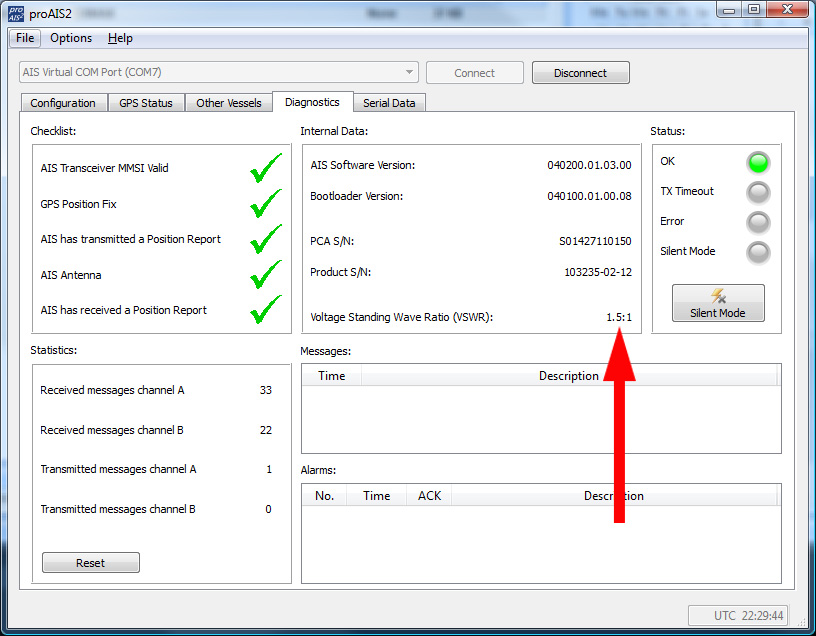
The key metric is the VSWR (Voltage Standing Wave Ratio). This measures how much power is actually leaving the antenna versus how much is “bouncing back” into the radio:
- 1.1:1 to 1.5:1: You’re in the green. Your system is efficient.
- 2.0:1 or higher: You have a “blockage.” This usually points to a waterlogged antenna, a corroded PL-259 connector, or a failing splitter.
- Over 5.0: You’re toasting your AIS device.
Download ProAIS2: You can find the latest versions for Windows and Mac here.
Summary checklist for the offshore navigator
To help you effectively audit your system, here’s a summary checklist to use while assessing your AIS system.
- Audit: Compare your MarineTraffic track against nearby vessels.
- Hardware: Verify your cable isn’t standard RG-58.
- Integrity: Ensure all connectors are tinned, crimped, and sealed with adhesive heat-shrink.
- Equipment: Upgrade to an active splitter if you are currently using a passive one.
- Software: Run a VSWR check using ProAIS2 to verify antenna health.
Being seen is the first rule of collision avoidance. Don’t let a $20 piece of cheap cable turn your safety system into a paperweight.

By Mick Heylen
Mick started sailing at the age of 12 and spent 10 years intensively competing on dinghies. In 2020, Mick and his wife Linde bought their Etap 37s, Turadh, with the goal of traveling for longer periods. They now spend thier time slow cruising, discovering surprising and beautiful places and meeting interesting people.









A good article, thanks
Thanks Richard!
You’ve got me worrying Mick – I’ll be checking our AIS when we’re back on board. Very interesting stuff.
Hi Steve, once you start paying attention on Marine Traffic or Vesselfinder, you’ll see that this problem is quite common. Just last summer, off the coast of Portugal, we were overtaken by an almost brand-new sailing yacht, whose crew asked us if we could see them on AIS. They had long since disappeared from Marine Traffic, whilst we were still clearly visible.
Thanks for your insights!
Excellent insights.
Periodically, we will call another boat that we see on AIS or a buddy boat that’s 5+ miles off and just ask if they see us.
This is great info, thank you! We will definitely be checking our system out. I know that we do occasionally disappear from Marine Traffic.